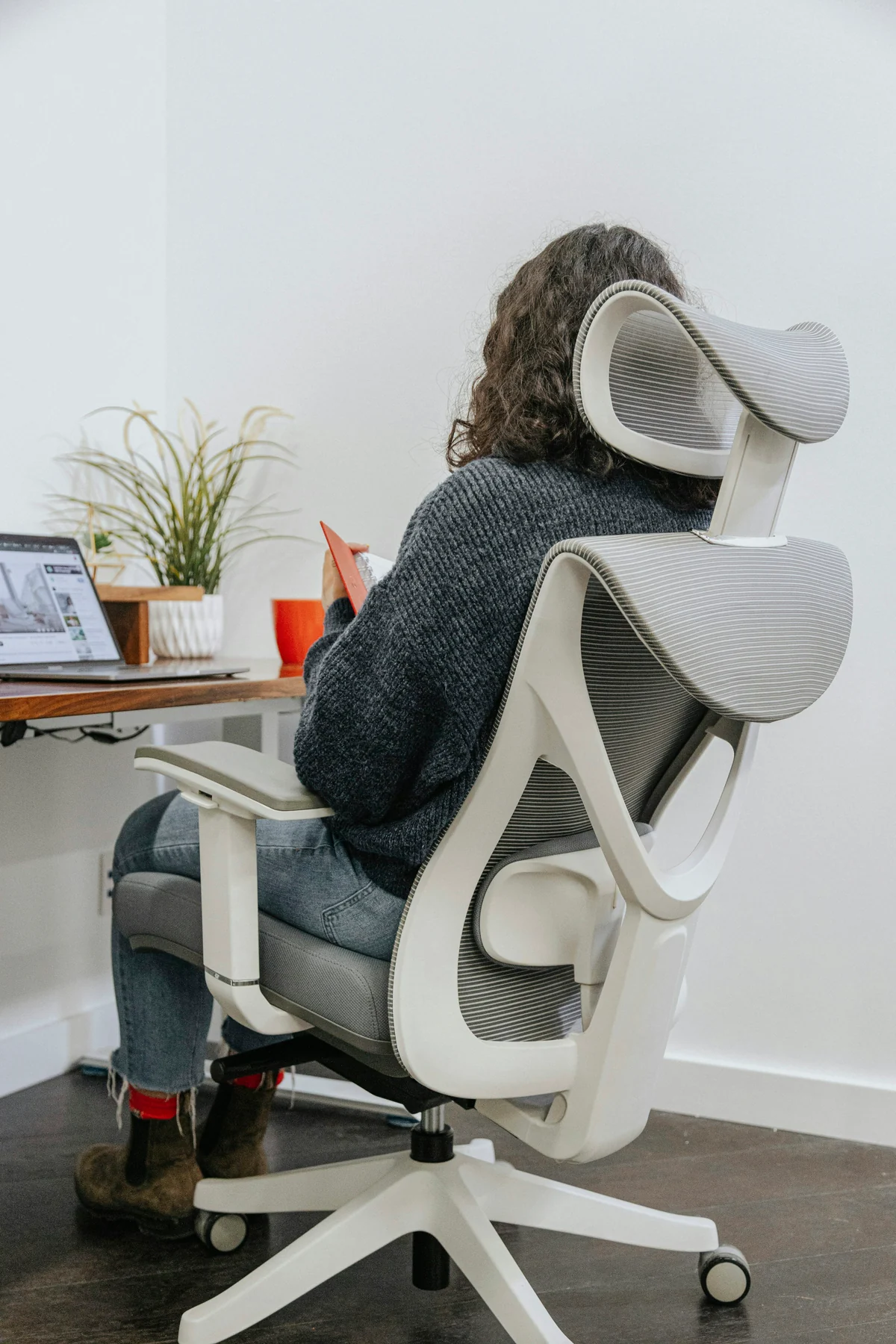
Define the chair's real job
Write the use before the specification
- Primary userName who will use it and which body, mobility or support needs materially change the decision.
- Task and durationRecord computer work, writing, drawing, meetings or reading and the longest ordinary sitting period.
- WorkstationMeasure work-surface top and underside, keyboard/input position, screen, foot space and obstacles.
- MovementDecide whether the user needs to roll, swivel, recline, change task, sit forward or share the chair.
- Floor and roomRecord hard floor, rug or carpet; route; nearby walls; storage; and the full turning/rolling envelope.
- Vintage toleranceSeparate welcome wear and repair from unacceptable instability, pressure, maintenance or unavailable parts.
A sculptural swivel chair can be right for brief correspondence and wrong for an eight-hour computer day. A simple fixed chair can support one person well at a compatible desk while offering little variation or shared-user adjustment. Start with the actual job so the design is judged for what it must do rather than for how modern its mechanism appears.
Personal boundary
Comfort reports do not transfer between bodies
The seller can report their experience and the maker can document intended adjustment. Neither proves fit for another person, duration or health need. When pain, injury, disability, pregnancy or another consequential requirement is involved, use an appropriate clinician, occupational health or ergonomics professional.
Measure chair, desk and user together
CCOHS explains that a chair becomes ergonomic only when it suits the worker's body, workstation and tasks, and recommends trying suitable chairs with the people who will use them. Treat that as a relationship method rather than a certification label or universal posture.[1]
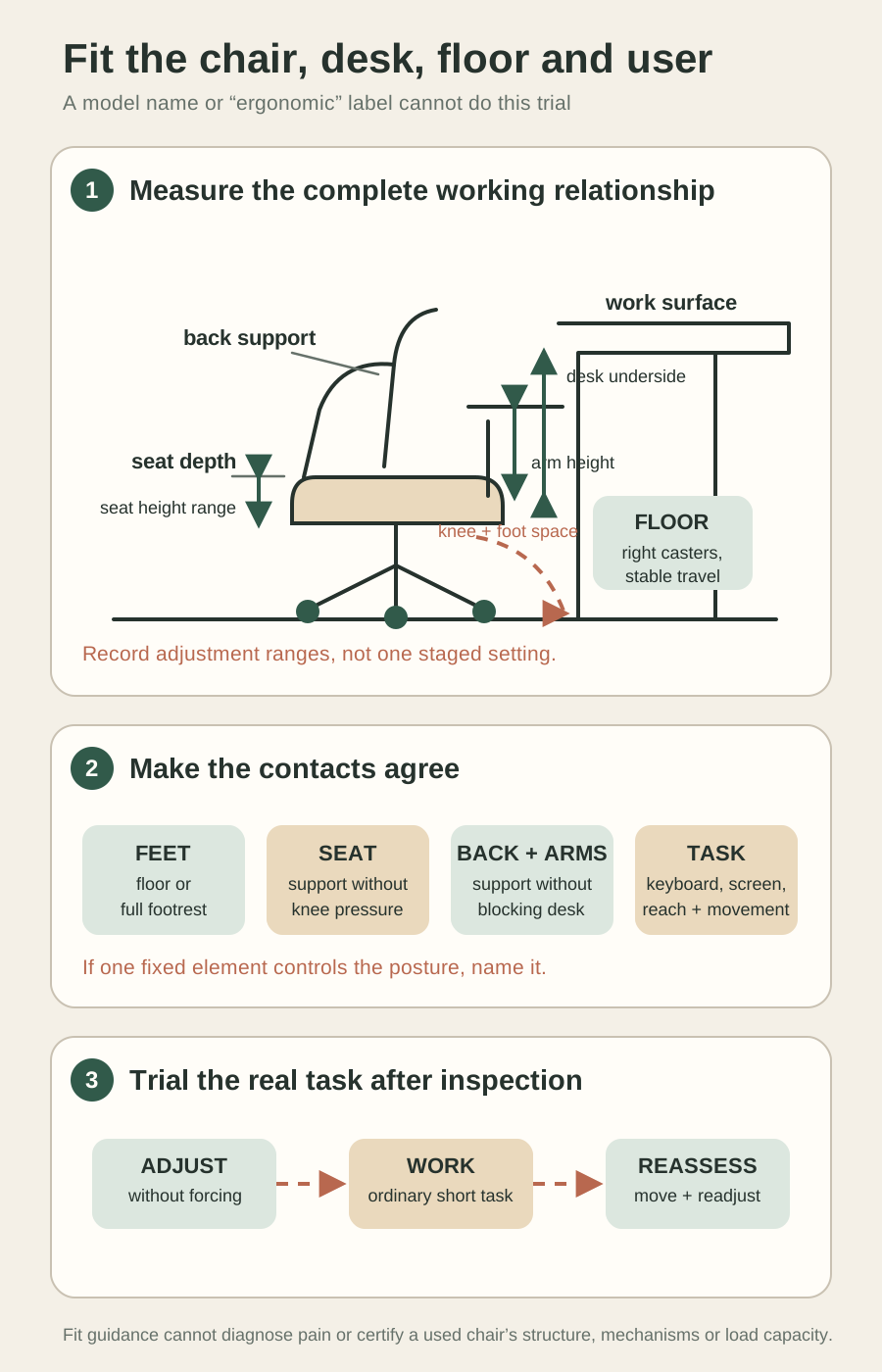
| Chair field | Measure or observe | Compare with |
|---|---|---|
| Seat height | Unloaded minimum/maximum and ordinary compressed position where safely measurable | Feet on floor/full footrest, thigh support and desk/input height |
| Seat depth and width | Usable pan between back and front edge; width between arms or projections | Back contact, clearance behind knees, clothing and entry/exit |
| Backrest | Height, width, lumbar shape, angle/recline range and movement relative to seat | Support location, task posture and freedom of shoulders/arms |
| Arms | Height/width range, spacing, length and removability only when documented | Relaxed shoulders, forearm support, entry and desk clearance |
| Base and casters | Widest footprint, spoke count, wheel type and turning/rolling envelope | Floor, rug, desk legs, walls and necessary movement |
| Controls | Every lever/knob, labelled function, direction, stop and whether adjustment is unloaded or seated | The actual user can reach and operate it without unsafe strain |
Ask the seller to show the tape endpoints and each control from a stable position. One seat-height number is not a range; one reclined photograph does not show tension, lock positions or return. Keep unavailable or unsafe-to-test settings unknown.
Use the vintage-desk Guide for the work surface, knee opening, drawer and working footprint. The chair Guide owns the seated and moving relationship between that desk and the actual user.
Make feet, seat, back, arms and task agree
CCOHS adjustment guidance treats the seat, work surface and floor as connected contact areas. It sequences feet or a full footrest, seat support, backrest and arm position, then checks whether the adjusted chair can fit the fixed work surface. Use the intended person's neutral, comfortable starting position and allow movement; do not turn an example angle or clearance into a universal rule.[2]
Check the complete seated relationship
- FeetBoth feet can rest firmly on the floor or a suitable full footrest without the chair being set too low for the task.
- SeatThe seat supports the body without a hard edge pressing behind the knees and without forcing the user to perch.
- BackThe backrest reaches a useful support position while the user can perform the task and change posture.
- Shoulders and forearmsArms or work surface do not raise the shoulders, spread the elbows or prevent approaching the input area.
- Desk clearanceSeat, arms, thighs and knees enter far enough for the task without striking the underside, drawers or supports.
- Screen and reachThe screen, keyboard, pointing device and frequent objects can be positioned without the chair compensating for a poor workstation.
Fit boundary
A chair cannot repair every fixed workstation
If raising the chair aligns the arms but leaves feet unsupported, add a suitable footrest or change the workstation. If fixed arms block the desk or a low drawer blocks the thighs, another chair or desk may be the responsible answer.
Inspect the used chair before sitting
UK second-hand product guidance notes that worn components, missing modern features and modifications can create risks that are not immediately obvious. Ask for the exact model/version, current instructions and recall or safety information where available, plus the history of replacement parts and repairs. This does not make every older chair unsafe.[4]
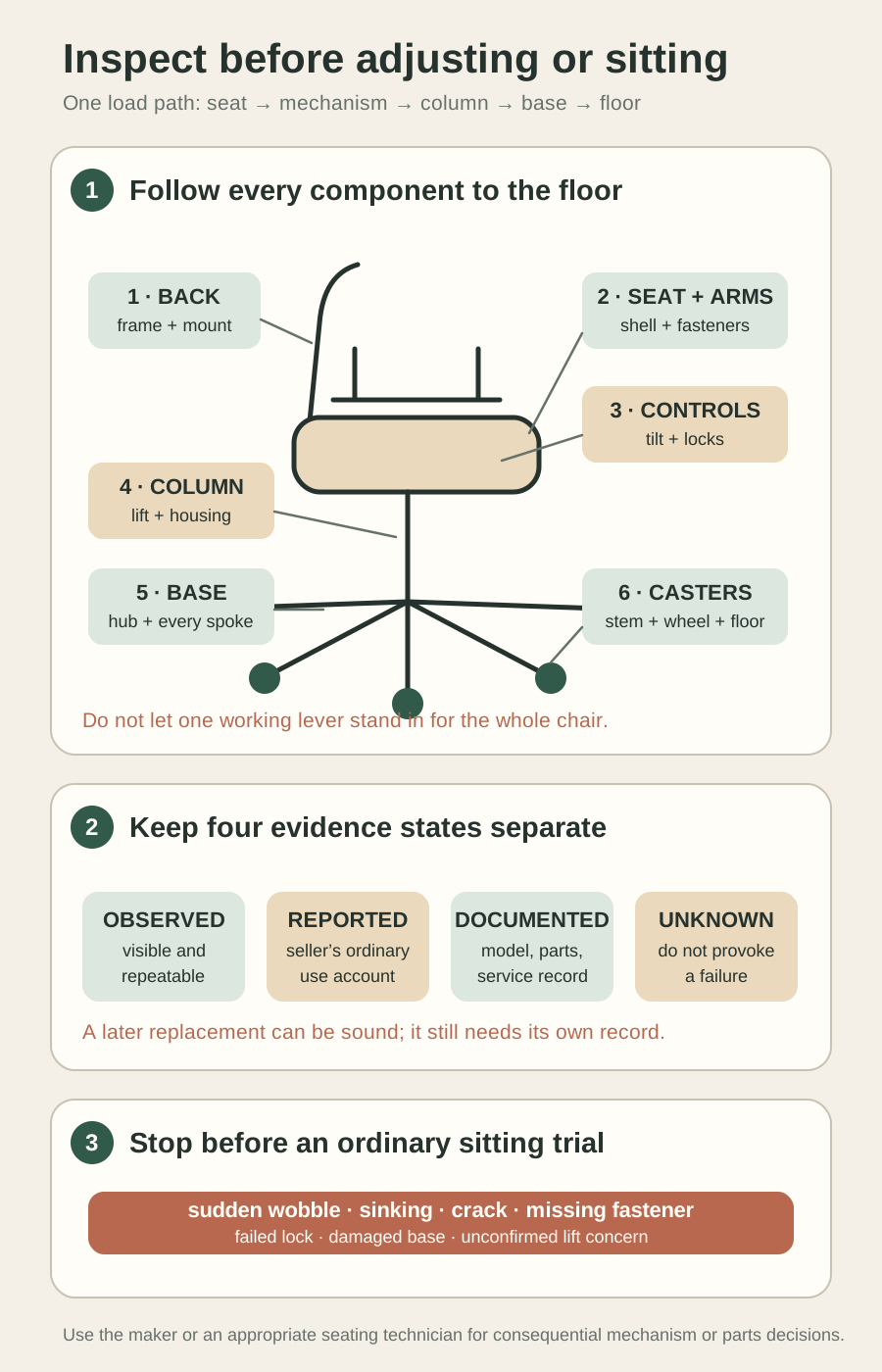
Follow the load path
- Seat and backShow shells/frames, upholstery or mesh, attachments, cracks, delamination, repairs, play and missing trim or fasteners.
- Arms and mountsRecord looseness, cracks, altered hardware, sharp edges and whether an arm is original, replaced, removable or unresolved.
- Tilt, recline and controlsIdentify normal functions, locks, tension, stops, noise, play, leakage or modification without forcing or dismantling.
- Column or liftRecord model/part evidence, corrosion, damage, sudden sinking, side play, prior replacement and any service concern.
- Base and hubInspect every spoke, weld or casting, central connection, crack, bend, repair and complete floor stance.
- Casters and glidesCompare every stem, socket, wheel, tread and movement on the seller's ordinary level floor without a wedge.
Trial stop
Sitting must not be the first load test
Stop at a crack, opening connection, missing fastener, sudden wobble, sinking lift, failed lock, damaged base/caster socket, sharp projection or seller concern. Do not bounce, lean to a stop, spin hard, overload, stand on the base or use a person to discover a failure.
Identify controls and service boundaries
Find the maker's instructions for the exact model and production version where possible. Similar-looking chairs can use different levers, cylinders, tilt assemblies, fasteners and adjustment sequences. Keep label, serial/production clues, part markings and current photographs with the document you rely on.
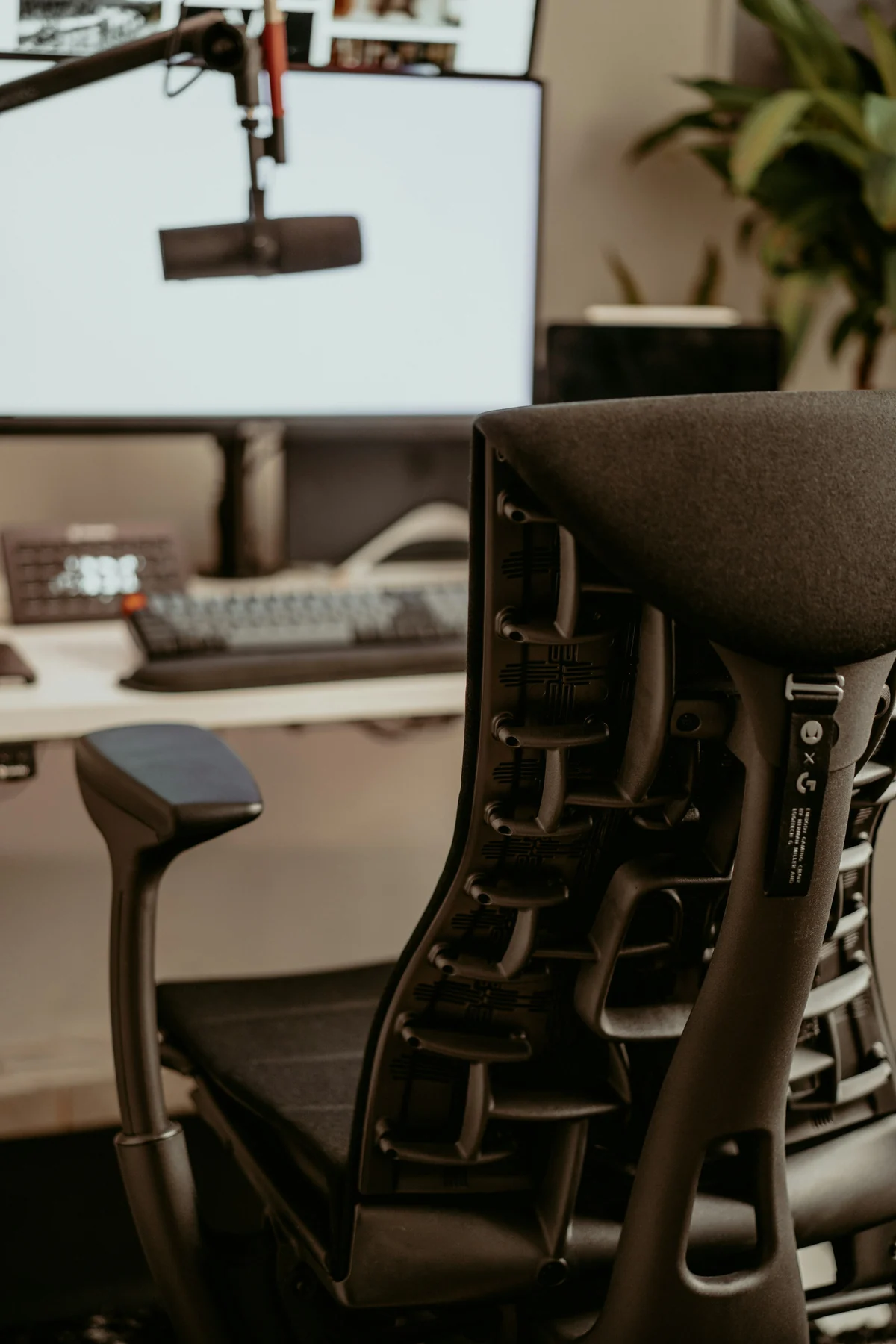
| Component | Seller can report | Professional handoff |
|---|---|---|
| Seat-height control | Whether it changes height normally and holds during accepted ordinary use | Sinking, sudden release, damaged/unknown lift or incompatible replacement |
| Tilt/recline | Normal range, tension response, lock positions, noise and return | Failed lock, abrupt movement, excessive play or internal repair |
| Seat/back depth or height | Controls move through documented positions and hold without forcing | Seized, incomplete or altered mechanism |
| Arms | Normal height/width movement and secure hold where designed | Cracked mount, added hardware or proposed removal without instructions |
| Casters | Each rolls/swivels ordinarily and remains retained in its socket | Wrong stem, cracked socket, damaged base or floor-incompatible replacement |
UK Health and Safety Executive seating guidance covers suitability, adjustability, gas-lift operation, durability and maintenance as connected seating concerns. Use that boundary conservatively: a compressed-gas lift or consequential mechanism issue belongs with the maker or an appropriate seating technician, not an improvised buyer repair.[5]
Gas-lift boundary
Do not dismantle, puncture, heat or improvise a cylinder
If the chair wobbles or sinks suddenly, the lift/housing is damaged or the exact part and compatibility are unknown, stop use and ask the maker or competent seating technician. A replacement listing is not proof that the part fits or restores the chair's intended performance.
Run a short actual-task trial only after inspection
OSHA's computer-workstation chair guidance treats the backrest, seat, armrests and base together and asks that the chair be adjusted with monitor, keyboard and desk placement. It also recommends trying chairs before purchase. Apply that relationship to a short real task; occupational guidance does not certify this chair or diagnose the user.[3]
- Place the accepted chair on the same type of floor and at the actual desk, with the keyboard, pointing device, screen and footrest if used.
- Have the intended user adjust seat height, seat/back relationship, arms and tilt through known ordinary controls without forcing or reaching under a loaded mechanism unsafely.
- Work at the real task long enough to notice desk approach, feet and thigh support, back contact, shoulder/forearm position, screen view and frequent reach.
- Move, swivel or roll only as the task requires. Check base/caster clearance, cable conflict, rug edge and whether the chair returns or holds as intended.
- Stand, sit again and readjust. Record what the user changed and any pressure, instability, noise, sinking, failed hold or blocked movement.
One comfortable minute cannot prove a full workday, and one uncomfortable first setting does not condemn an adjustable chair. The useful trial shows whether the chair can reach and retain a small set of suitable working positions, whether the user can operate it and whether the actual workstation permits movement.
Health boundary
Stop at symptoms or consequential fit uncertainty
Do not use a buying trial to push through pain, numbness, dizziness, balance difficulty or another symptom. End the trial and use appropriate clinical or ergonomic advice when the chair decision has health consequences.
Compare fixed vintage and adjustable designs honestly
| Chair type or feature | Potential strength | Question to resolve |
|---|---|---|
| Fixed-height task chair | Simple construction and a coherent posture for one known desk/user | Does the exact geometry work without compensating at feet, shoulders or screen? |
| Early swivel/tilt chair | Useful movement and mechanical character | Is the mechanism documented, stable, serviceable and appropriate for the intended frequency? |
| Adjustable office chair | Can accommodate more tasks or users when ranges and controls work | Do all adjustments hold, remain reachable and fit this desk rather than merely exist? |
| Cantilever or unusual base | Specific movement and visual lightness | Are material, floor contact, flex, repairs and intended load path professionally understood where needed? |
| High-back or executive form | Broader support or recline for some users/tasks | Does it restrict shoulders, overheat, block the desk or exceed the room/route? |
| Armless or removable-arm setup | Closer desk approach and free side movement | Does the user still obtain needed forearm support from the workstation without reaching? |
Do not modernise a significant vintage chair by assumption. Added casters, a generic lift, drilled arm mounts or a replacement tilt can alter geometry, structure, appearance and value. If a change is necessary for the chair's intended job, ask a competent specialist to identify compatible, reversible or appropriately documented options before pricing the project.
Use boundary
The right answer can be a different job
A chair that fails the primary workstation test may still be excellent for short meetings, dressing, reading or display—if its condition and actual fit support that use. Do not force collectible form to carry a task it was not chosen to perform.
Price upholstery, parts and cleaning before calling it easy
Build the likely-work record
- Upholstery or meshRecord cover, foam/support, seams, attachment, odour or contamination concern and whether work changes chair geometry.
- Model-specific partsConfirm exact version, part number, supplier status, compatibility evidence and whether installation requires specialist tools or procedure.
- Mechanism serviceObtain a scope for lift, tilt, lock, bearing, swivel, arm or caster issue rather than assuming lubrication or tightening.
- Cleaning boundaryIdentify surface/material and finish before wetting, solvent, steam, disinfectant or abrasive treatment; isolate possible mould or hazardous residue.
- Downtime and transportInclude specialist collection, parts lead time, unavailable use and reassembly or workstation retest.
Use the upholstery Guide and moving-parts Guide for evidence discipline. An office-chair mechanism adds compressed, spring-loaded or load-bearing components that may require model-specific service.
A replaced wheel, cover or lift is not automatically a defect: a documented compatible part and competent work can keep a chair useful. Record the intervention instead of calling it original or hiding it. Conversely, a cheap generic part is not a saving until fit, geometry, retention and service responsibility are established.
Plan delivery and repeat the fit on arrival
Measure the chair at minimum safe transport size and at its widest protected base, arms and back. Ask whether the back, arms, base or casters are designed to detach and who is competent to do it; visible fasteners are not permission. Protect controls from loading and do not carry an adjustable chair by an arm, backrest, lever or extended lift unless the maker/carrier confirms the method.
On arrival
- Check package and identityPreserve delivery evidence and confirm the exact chair, included parts, instructions and removed components.
- Compare condition before sittingRecheck seat, back, attachments, controls, column, base and casters against the seller baseline.
- Use the actual floorConfirm every floor contact, caster suitability, turning/rolling envelope and protection without adding a wedge.
- Rebuild the workstation trialRepeat the real-user fit and task after any transport reassembly or adjustment.
Use the delivery-route Guide for doors, stairs, lifts and protected envelopes. A five-spoke base or high back can control the route even when the seat itself appears compact.
Send one complete office-chair request
Message to copy
Ask for fit, mechanism and service evidence
Hello—I'm considering this chair for [user/task] at a desk measuring [top and lowest underside]. Could you confirm the exact maker/model/version and any instructions or service record; measure seat-height range, usable seat width/depth, back and arm dimensions/ranges and widest base; identify every control and normal setting; and show the seat/back frames and attachments, arm mounts, mechanism, column/lift housing, complete base, every caster/socket and any wear, crack, play, sinking, failed hold, repair or replacement? Please state what you observed, what has been used ordinarily, what is documented and what remains unknown. Please do not bounce, overload, force, dismantle, puncture or test a concerning lift/mechanism. I will arrange an actual-user workstation trial only after condition is accepted. Thank you.
Buy when the exact chair reaches useful positions for the intended user, desk, task and floor; structure and mechanisms are coherent; controls can be used; likely work and parts are credible; and the route is responsible. Pause when a fit, lift, lock, base, caster, part or health question changes the consequence. Decline when the purchase depends on a model reputation, seller comfort report or moving lever proving what the complete chair and workstation have not shown.